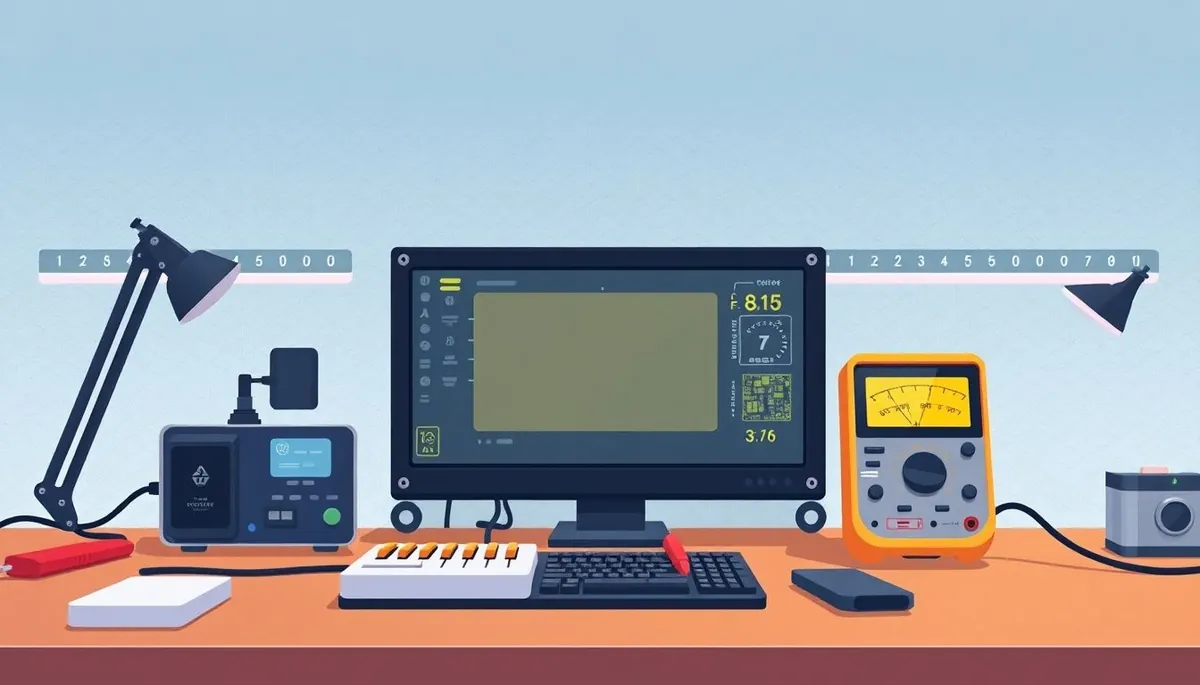
FPGA development boards offer a powerful way to learn digital logic design and hardware description languages, but choosing the right one can be tricky—especially for beginners. If you’re deciding between popular entry-level FPGA families like iCE40, ECP5, and Artix, you need clear guidance on their relative strengths, typical use cases, development ecosystems, and affordability. Here’s an in-depth comparison to help you pick the right FPGA dev board for your first project without getting overwhelmed by hype or unnecessary complexity.
What Are FPGA Dev Boards and Why They Matter for Beginners
Phone cases · Sponsored
Phone Cases For All — 50,000+ designs. 15% off code FIRST15ALL
An FPGA (Field Programmable Gate Array) dev board is a printed circuit board featuring an FPGA chip plus supporting components like voltage regulators, oscillators, memory, and I/O connectors. Unlike microcontrollers, which run software serially, FPGAs allow you to implement custom digital circuits at the hardware level. This enables parallelism, accelerated signal processing, and prototyping custom logic without fabric masks.
For beginners, an FPGA dev board is an entry point to learning hardware description languages (like Verilog or VHDL), digital logic design principles, and hardware debugging. The choice of FPGA family and board influences how easy it is to set up your toolchain, how much documentation and community support you’ll find, and the kind of projects you can realistically undertake without frustration.
See also: 17. Rigol DS1054Z vs Siglent SDS1104X-E: the budget scope war
Overview of iCE40, ECP5, and Artix FPGA Families
Before diving into the boards, here’s a quick summary of each FPGA family you’ll often find in beginner-friendly dev boards:
-
iCE40 (from Lattice Semiconductor): Ultra low-power, small logic capacity, affordable, excellent open-source toolchain (Project IceStorm), and generally hobbyist-friendly. The smallest footprint and lowest cost, but limited in performance and I/O.
-
ECP5 (also from Lattice Semiconductor): A step up from iCE40, bigger capacity, better performance, still fairly affordable and supported by open-source tools (though less mature). Suitable for more complex projects requiring higher logic density and faster clocks.
-
Artix (from Xilinx): Larger FPGAs with high performance and rich feature sets. Great for complex projects but higher cost and steeper learning curve. Requires proprietary tools and license downloads, which can be onerous for absolute beginners.
How These FPGA Families Differ in Key Areas
Phone cases · Sponsored
Phone Cases For All — 50,000+ designs. 15% off code FIRST15ALL
A beginner’s choice revolves around four main criteria:
- Toolchain Accessibility and Openness: How easy is it to get started without costly software?
- Available Logic Resources: Number of LUTs, flip-flops, DSP blocks, and RAM determine what you can build.
- Performance: Max clock speed, IO standards supported, and speed grade impact your applications.
- Board Ecosystem and Documentation: Community support, tutorials, included peripherals, and expansion options.
| Feature / Family | iCE40 | ECP5 | Artix |
|---|---|---|---|
| Price Range | $10 - $30 (small dev boards) | $30 - $70 | $50 - $150 |
| Logic Cells | ~7k to 33k LUTs | ~20k to 85k LUTs | ~30k to 80k LUTs |
| DSP Blocks | Very limited | Moderate | Rich DSP resources |
| RAM | Limited (tens of kbits) | Larger embedded RAM | Large internal block RAM |
| Clock Speed | up to ~100 MHz | up to ~200 MHz | up to ~300 MHz |
| Toolchain | Fully open-source (Project IceStorm, yosys) | Mostly open-source (nextpnr, prjtrellis) | Proprietary (Vivado) |
| Beginner Community | Very strong, lots of tutorials | Growing | Moderate, commercial focus |
| Example Board Peripherals | Basic LEDs, buttons, SPI, UART | USB, Ethernet, SDRAM options | Gigabit Ethernet, HDMI, advanced |
| Power Consumption | Low | Moderate | Higher |
When to Use Each FPGA Family and Board
iCE40 – Best for Absolute Beginners and Simple Projects
- If you’re new to FPGAs, don’t want to wrestle with complex proprietary tools, and want to start with simple blinking LEDs, SPI controllers, PWM generators, or basic UARTs, iCE40 boards are the natural starting point.
- The open-source toolchain eliminates expensive software licensing barriers.
- Common boards include small modules or puck-style form factors with only basic peripherals.
- Ideal for learning Verilog/VHDL basics, experimenting with soft processors (like open-source RISC-V cores), and building hardware peripherals for Raspberry Pi or Arduino.
ECP5 – For Intermediate Users Needing More Power & Speed
- Users looking to step up from iCE40 but still prefer open-source or at least partially open toolchains will find ECP5 boards appealing.
- ECP5 supports more RAM, higher frequencies, more I/O standards (LVDS, DDR), and moderately complex designs.
- These boards often come with USB connectivity, SDRAM, and CPLD-like support.
- Great for intermediate FPGA projects like digital signal processing, soft CPU cores, moderate-speed video processing, or custom interfaces.
- Still affordable for hobbyists, but you’ll spend more time with installation and tool configuration than iCE40.
Artix – When You Need High Performance and Rich Features
- Artix FPGAs are aimed at users who need significant logic resources, DSP blocks, and fast I/O, typically in the $50+ board range.
- Require the vendor’s proprietary development environment, which is free but has a steep learning curve and a heavyweight install.
- Excellent for high-bandwidth applications like video processing, motor control, and advanced communications.
- Less beginner-friendly, but perfect for technically confident makers or technicians wanting to prototype professional-grade products.
Board Completeness, Tool Precision, and Practical Considerations
Phone cases · Sponsored
Phone Cases For All — 50,000+ designs. 15% off code FIRST15ALL
| Aspect | iCE40 | ECP5 | Artix |
|---|---|---|---|
| Included Peripherals | Basic (LEDs, buttons) | Moderate (USB, SDRAM) | Advanced (Ethernet, HDMI) |
| Soldering & Maintenance | Easy | Medium (some boards) | Moderate to Advanced |
| Soldering Iron Tips | Small, fine tips recommended to avoid damage to QFN/TQFP parts | Fine to medium tips for larger packages | Fine tips required due to BGA/larger packages |
| Oscilloscope Use | Limited signals due to simple peripherals | More I/O available for probing | Complex signals for high-speed debugging |
| Community Kits & Tutorials | Extensive beginner guides | Moderate but growing | Professional-level docs |
Since FPGA development involves frequent soldering adjustments, ensure your soldering iron has precision temperature control and stable tips to avoid damaging delicate pins or trace pads, especially with smaller form factor boards.
Oscilloscope bandwidth is crucial when working with faster signals on ECP5 and Artix boards: a minimum 100 MHz scope is useful when debugging clock domains beyond 50 MHz. iCE40 projects rarely require scopes beyond 20 MHz.
Common Pitfalls for Beginners Choosing FPGA Dev Boards
- Choosing an FPGA that is “too big”: Large FPGAs have more resources but introduce complexity in toolchains and debugging, potentially frustrating beginners.
- Ignoring toolchain compatibility: Proprietary tools impose a workflow and configuration burden; open-source chains (like for iCE40) speed learning but limit you to simpler applications.
- Underestimating peripheral complexity: Expensive boards with many peripherals can be intimidating if you just want to learn fundamental HDL concepts.
- Soldering without proper tools: Packages like QFN or BGAs require fine soldering tips and temperature control. Beginners should prefer boards with through-hole or TQFP packages.
- Not starting with known tool-supported boards: Some FPGA dev boards lack community support, making troubleshooting difficult.
Summary Comparison Table — Which FPGA Board Should You Choose?
| Feature/Factor | iCE40 Dev Boards | ECP5 Dev Boards | Artix Dev Boards |
|---|---|---|---|
| Beginner Friendliness | High | Medium | Low |
| Cost | Very Affordable | Affordable | Expensive |
| Toolchain | Fully open-source, easy install | Mostly open-source, more setup | Proprietary, heavy install |
| Available Logic | Small (~7k-33k LUTs) | Medium (~20k-85k LUTs) | Large (~30k-80k LUTs) |
| Project Complexity | Simple (basic peripherals) | Intermediate (video, interfaces) | Advanced (high-speed comms) |
| Peripheral Support | Basic LEDs, UART, SPI | USB, SDRAM, Ethernet | Gigabit Ethernet, HDMI, FMC |
| Typical Use Cases | Learning HDL, clocking, soft CPU | DSP, video, embedded control | Complex DSP, advanced video |
| Community Support | Excellent | Growing | Professional forums only |
Frequently Asked Questions
Q: Is the iCE40 suitable for real-world projects or just learning?
A: While iCE40 boards are designed for learning and simple projects, some lightweight real-world applications like sensor interface and custom controllers benefit from their low power and open-source ecosystem.
Q: Can I use the same HDL code across all three FPGA families?
A: The HDL syntax (Verilog/VHDL) is portable, but peripheral IP cores, timing constraints, and pin mappings vary, so adjustment is required per target FPGA and board.
Q: Do I need to buy expensive oscilloscopes to debug FPGA designs?
A: Not initially. For basic iCE40 boards, a low-frequency logic analyzer or a cheap scope suffices. For ECP5 and Artix, investing in a 100+ MHz scope improves debugging capability.
Selecting the right FPGA dev board for your level and project needs will make your learning curve smoother and your satisfaction higher. For starting out with low cost and open tools, go iCE40; for intermediate FPGA exploration, consider ECP5 boards; and if your goals demand heavy-lifting FPGA resources and advanced peripherals, consider Artix dev boards. Happy hacking!
Our picks worth a closer look
- Dawn Ultra Dish Soap, Original Scent, 75 fl oz (2-Pack)Check on Amazon → — see current price and specs.
- Scott 1000 Sheets Per Roll Toilet Paper, 36 RollsCheck on Amazon → — see current price and specs.
- Amazon Basics AA Performance Alkaline Batteries, 48-CountCheck on Amazon → — see current price and specs.
- Tide PODS Laundry Detergent Soap Pods, Original Scent, 112 CountCheck on Amazon → — see current price and specs.
